Resource
Draw a Weather Machine – Open-Ended Drawing Worksheet
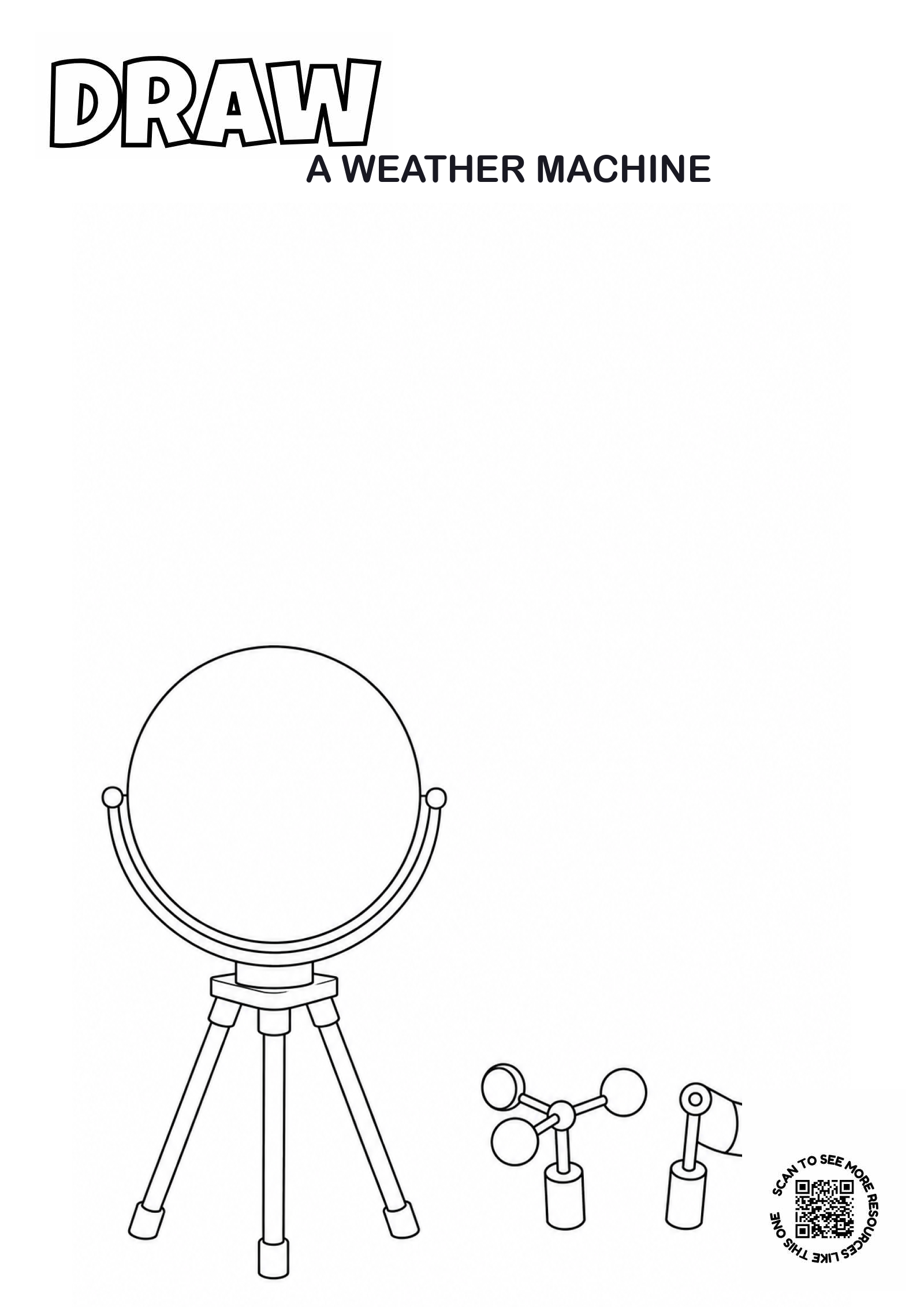
An original one-page Draw a Weather Machine worksheet with a spacious, unfinished scene for calm OSHC drawing, storytelling and design.
Download printableCheck the preview, printing notes and licence before use.
Finish the picture
This one-page worksheet shows a tripod, dial and loose sensor shapes waiting to become a child-designed weather machine. The focal idea is deliberately unfinished, leaving a large clear area for children to draw their own response. The printed invitation asks: How could this machine measure the weather? There is no single correct result.
OSHC setup
Place the worksheet at an arrival, quiet-choice or wet-weather table with a small selection of drawing tools. Print a few copies rather than one for every child in advance, then replenish them if interest grows. Keep blank paper nearby for children who prefer to start without a printed scene. Allow roughly 10–30 minutes and let children leave or return to the drawing under your usual routines.
Ways to adapt it
- Simpler access: print at A3, offer broad crayons or let a child explain an idea while an educator or peer scribes selected details.
- More challenge: add labels, a design constraint, a before-and-after panel or a short story connected to the finished picture.
- Social option: two children can compare different solutions or create connected scenes without needing to produce matching work.
- Low-writing option: use drawing, symbols and spoken storytelling only.
Useful prompts
Ask open questions after a child invites conversation: “What did you decide to add?”, “How does your idea work?” or “What might happen next?” Avoid correcting an imaginative choice or using the finished picture to infer private feelings.
Printing notes
The download is a single-page A4 PDF with black line art on white. Print at actual size or fit to the printable area. Black-only or greyscale mode keeps ink use low.